
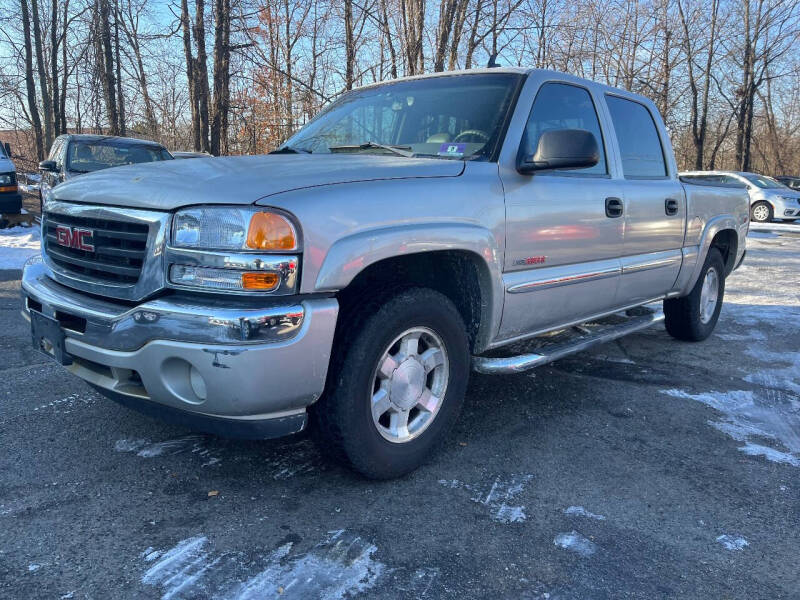
The factory halogen headlights on a 2006 GMC Sierra 1500 are a well-documented weak point. Over time, their plastic lenses succumb to severe UV oxidation, turning a hazy yellow, while the reflector bowls behind them degrade. Combined with the underwhelming output of the original bulbs, this creates a dangerously dim and scattered beam pattern. Upgrading to modern LED headlights is the definitive solution, offering transformative brightness, a crisp white light, and vastly improved safety. However, for this generation of truck, a successful upgrade requires more than just swapping bulbs; it demands choosing the right hardware and following a precise process to ensure a legal, effective, and long-lasting result. This step-by-step guide will walk you through the entire procedure.
Phase 1: Choosing Your Upgrade Path and Parts
You have two main options, and the choice is critical. The first is installing LED replacement bulbs into your existing (or new OEM-style) halogen housings. This is cost-effective but has a significant caveat: the stock reflector is engineered for the specific point of light from a halogen filament. Most LED bulbs have a different physical layout, which can scatter light, creating a poor beam pattern with dark spots and excessive glare for oncoming traffic. If you choose this path, you must select bulbs marketed as “CAN Bus ready” for compatibility and prioritize models with a 360-degree design that better mimics a halogen’s light source.
The superior—and highly recommended—option is installing complete 2006 GMC Sierra LED headlight assemblies. These are aftermarket units designed specifically for the 2006 Sierra that replace the entire housing. Their key advantage is a dedicated projector lens or an advanced reflector engineered for its integrated LED chips. This guarantees a perfect, focused beam pattern with a sharp horizontal cutoff, providing brilliant illumination for you while preventing dangerous glare. For this guide, we will focus on this complete assembly upgrade. Before starting, gather your tools: a Phillips screwdriver, a 10mm socket and ratchet, trim panel removal tools (or a flathead screwdriver wrapped in tape), and your new LED headlight assemblies.
Phase 2: Removal of the Old Headlight Assemblies
-
Disconnect the Battery: Always start by disconnecting the negative terminal of the battery to prevent any electrical shorts.
-
Access the Retaining Bolts: Open the hood. The headlight is secured by three bolts. The top two are easily visible. To access the third (inner) bolt, you must partially remove the front grille. This is done by removing the several Phillips-head screws along the top edge of the grille (under the hood) and the plastic push-pins or screws in the radiator cover. Gently pull the top of the grille forward; you do not need to fully remove it, just flex it enough to reach the inner bolt with your socket.
-
Remove the Assembly: Unscrew and remove all three 10mm bolts. Carefully pull the entire headlight assembly straight forward out of the truck. Reach behind it and disconnect the main wiring harness plug by pressing the release tab and pulling it apart. Set the old assembly aside.
Phase 3: Installation and Wiring of the New LED Assemblies
-
Test Before Mounting: Before securing the new assembly, connect its wiring plug to the truck’s factory harness. Reconnect the battery and turn on the headlights to verify all functions work (low beam, high beam, parking light). This ensures you have a working unit before final installation. Disconnect the battery again after testing.
-
Secure the Assembly: Carefully thread the wiring into the engine bay and gently push the new LED headlight into position, aligning its mounting posts. Hand-tighten the three 10mm bolts to secure it. Do not overtighten, as you may crack the mounting tabs.
-
Address Wiring (if necessary): Most quality plug-and-play assemblies will work directly. However, if your lights flicker or cause hyper-flashing turn signals, you may need to install simple anti-flicker resistors (load resistors) or CAN Bus decoders that come with the kit. These are wired in-line according to the manufacturer’s instructions to simulate the electrical load of a halogen bulb, satisfying the truck’s computer.
Phase 4: The Non-Negotiable Final Step: Aiming Your Headlights
This is the most critical step for safety and performance. Even perfect projectors are dangerous if misaligned.
-
Park your Sierra on level ground facing a wall about 25 feet away.
-
Turn on the low beams. The new LED projectors will project a sharp beam with a distinct horizontal cutoff line (the line between light and dark).
-
Locate the adjustment screws on the top and side of the headlight housing.
-
Using a Phillips screwdriver, adjust the beams so that the bright, focused “hot spot” is at or slightly below the height of the headlight’s center from the ground. The cutoff line should be level. The passenger-side light can be aimed very slightly higher to better illuminate road signs, but the primary goal is to avoid blinding oncoming traffic.
By following these steps—choosing the right hardware, methodically swapping the assemblies, and performing a precise aim—you will complete one of the most rewarding upgrades for your 2006 Sierra. You’ll gain the modern visibility you need for safer nighttime driving and give your truck’s front end a sharp, contemporary look that finally matches its rugged capability.
